What Is Auto Defrost on a Microwave? Explained
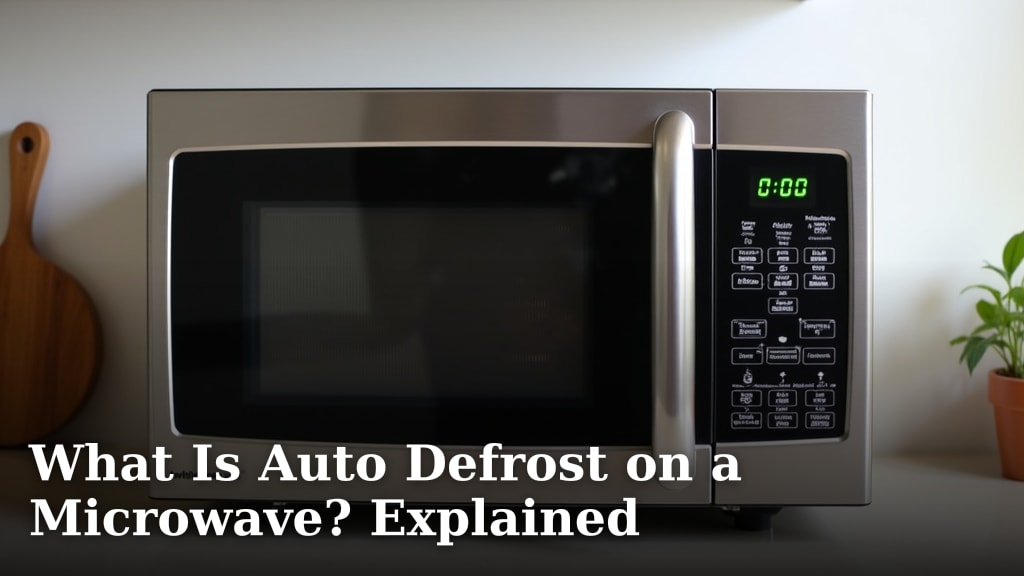
Auto defrost on your microwave is a special setting designed to automatically thaw frozen food. It uses controlled power levels to gently warm your food. This helps prevent the edges from cooking while the center stays frozen. You simply select the food type or weight. Your microwave then calculates the best defrosting time. It’s a handy feature for quick meal preparation.
Many microwaves come with this convenient auto defrost function. It takes the guesswork out of thawing. Instead of leaving food out on the counter for hours, you can use your microwave. We found that using auto defrost can be much faster and safer. It helps reduce the risk of bacteria growth compared to slow thawing methods.
- Auto defrost automatically thaws frozen food.
- It uses controlled power to gently warm items.
- Select food type or weight for automatic timing.
- It’s a faster and safer way to thaw than leaving food out.
Ready to understand how this magic happens? Let’s dive into what your microwave’s auto defrost feature really does and how you can use it best.
Understanding Your Microwave’s Auto Defrost Setting
So, what exactly is this auto defrost feature we’ve all seen on microwave panels? It’s a smart function designed to take the guesswork out of thawing frozen foods. Instead of poking at a block of ice for minutes or hoping the edges don’t turn into rubber, auto defrost does the heavy lifting for you.
This setting uses a special cycle. It pulses the microwave’s power at lower levels. This gentle approach helps thaw your food more evenly. It aims to keep the outside from overcooking while the inside is still frozen.
How Does Auto Defrost Work?
Microwaves heat food using electromagnetic waves. These waves excite water molecules in the food, creating heat. A standard defrost setting might just run the microwave at a lower power level. Auto defrost, however, is more sophisticated. It often involves a sequence of on-and-off cycles. This pulsing action is key to preventing uneven thawing.
Think of it like this: imagine trying to warm your hands with a steady blast of hot air. They might get scorched on the outside and still be cold inside. Auto defrost is more like gently fanning them with that air. It gives the heat a chance to spread without burning the surface.
Many models have pre-programmed settings. You tell the microwave what you’re defrosting. This could be poultry, beef, fish, or even bread. Some allow you to enter the weight of the food. The microwave then uses its internal logic to calculate the best defrosting time and power sequence.
The Science Behind Even Thawing
When food freezes, ice crystals form. These crystals can be large and irregularly shaped. When you try to microwave frozen food directly on high power, the outer layers absorb the energy first. They start to thaw and heat up quickly. This causes them to cook, while the inner parts remain frozen.
Auto defrost combats this by using lower power pulses. These pulses deliver less intense microwave energy. This slower, controlled energy transfer allows the heat to penetrate the food more gradually. It gives the inner parts more time to catch up to the outer parts. This helps achieve a more uniform temperature throughout the food.
Research has shown that rapid, uneven thawing can create temperature disparities. This can affect food texture and quality. It can also create opportunities for bacteria to grow. Auto defrost aims to minimize these issues by providing a more consistent thawing environment.
Types of Auto Defrost Settings
Not all auto defrost functions are the same. Most microwaves offer a few common options to cater to different needs. Understanding these can help you use the feature more effectively.
Weight-Based Defrost
This is one of the most common types. You select “Defrost” and then indicate the type of food. Afterward, you enter the weight of the item in ounces or pounds. The microwave’s internal computer then calculates the defrost time. It’s quite straightforward and generally provides good results.
For example, if you’re defrosting a pound of ground beef, you’d select the meat type and then enter “16” if it’s in ounces. The microwave takes it from there. We found this method to be very convenient and usually accurate.
Time-Based Defrost
Some microwaves have a simpler defrost setting. You select “Defrost” and then set the amount of time you want to defrost for. This is less sophisticated. It’s essentially just running the microwave at a lower power level for the duration you choose. You’ll need to rely on your own judgment for the time.
This can work for smaller items or when you have a good idea of how long something takes. However, it requires more attention. You might need to pause and rearrange the food yourself. It’s less “automatic” than the weight-based option.
Specific Food Programs
Many modern microwaves come with dedicated buttons for common frozen items. You might see buttons for “Popcorn,” “Beverage,” “Pizza,” or specific types of meat like “Chicken” or “Fish.” These buttons activate a pre-programmed defrost and cook cycle. They are designed to handle the specific challenges of that food type.
For instance, a “Chicken” defrost might be programmed to thaw a whole chicken or chicken pieces evenly. A “Bread” setting would be gentler to avoid making the bread tough. These are often the easiest to use, as they require minimal input from you.
How to Use Your Microwave’s Auto Defrost Effectively
Using auto defrost can save you time and frustration. However, to get the best results, there are a few things you should keep in mind. Proper preparation makes a big difference.
Preparation is Key
Before you even press a button, take a moment to prepare your food. Remove packaging, especially styrofoam trays or plastic wrap that might melt. If the food is in a large block, try to break it up if possible. For example, if you have a whole frozen chicken, you might be able to separate the parts slightly after a few minutes of defrosting.
For ground meat or poultry pieces, separating them into smaller chunks can speed up the defrosting process. This allows the microwave energy to reach more surfaces. Make sure the food is in a microwave-safe dish. Thinning out thick or unevenly shaped items can also help prevent overcooked edges and still-frozen centers. It helps create a more uniform mass for the microwave to work with.
Understanding Your Microwave’s Interface
Each microwave model is a little different. Take a few minutes to read your microwave’s instruction manual. It will explain exactly how to operate its specific auto defrost functions. Knowing where the “Defrost” button is and how to select food types or enter weight is crucial.
Don’t be afraid to experiment. Start with a common item like ground beef. Follow the instructions for weight-based defrost. See how it turns out. You might find you need to adjust the time slightly for future uses. This hands-on experience is often the best way to learn. Most manuals will have a chart to guide you.
The Importance of Turning and Separating
Even with auto defrost, it’s a good practice to pause the microwave halfway through the defrost cycle. This is often prompted by the microwave itself, which will beep. When it pauses, open the door and carefully turn the food over. If you’re defrosting pieces like chicken wings or fish fillets, try to separate them.
This action ensures that all sides of the food are exposed to the microwave’s energy. It helps promote more even thawing. Think of it like flipping a pancake to cook both sides. This simple step can prevent cold spots and partially defrosted areas. We found that this is essential for best results.
Checking for Doneness
Auto defrost is designed to thaw, not cook. So, after the defrost cycle is complete, your food will likely still be cool to the touch. It should be flexible and easy to break apart, but not warm. Use your fingers to check the temperature and texture. You should be able to press into it, and it should yield easily.
If there are still icy spots, you can either microwave it for a short additional period on a lower power setting or let it sit for a few minutes. Many food safety guidelines suggest that food should reach a safe internal temperature shortly after thawing. Auto defrost gets it to a point where it can be cooked quickly and safely. The Centers for Disease Control and Prevention (CDC) recommends cooking thawed food immediately to prevent bacterial growth.
When Auto Defrost Isn’t the Best Option
While auto defrost is incredibly convenient, it’s not always the perfect solution for every situation. Sometimes, other methods might be more suitable or even necessary.
Delicate Foods and Thin Items
Very thin items, like a single fish fillet or a thin burger patty, can sometimes be overpowered by auto defrost. The rapid pulsing might still cause the edges to cook before the center is fully thawed. For these, you might find that a gentle defrost using a very low power setting for a short, supervised time works better. Or, simply letting them thaw in the refrigerator overnight is often the safest bet.
When You Need Perfect Texture
For foods where texture is extremely important, like delicate pastries or certain types of seafood, auto defrost might not preserve the ideal consistency. The microwave energy, even pulsed, can sometimes alter the texture. In these cases, slower thawing methods like the refrigerator or cold water bath are usually recommended. This is especially true for items you plan to eat raw or nearly raw after thawing.
Large, Dense Frozen Blocks
While auto defrost is great for many frozen items, very large, dense blocks of food might still present challenges. A huge frozen roast, for example, might still have a rock-solid center even after a full auto defrost cycle. For these, you might need to combine methods. Start with auto defrost, then allow it to finish thawing in the refrigerator or by letting it sit at room temperature for a bit before cooking. It’s about finding the right balance for the food’s size and density.
Here’s a quick checklist to help you get the most out of your auto defrost feature:
- Read your microwave’s manual for specific instructions.
- Remove all non-microwave-safe packaging.
- Break apart or separate food items if possible.
- Use the weight setting when available for better accuracy.
- Pause the cycle to turn and rearrange food.
- Always check food for icy spots after defrosting.
Conclusion
You’ve learned that your microwave’s auto defrost feature is a smart tool for thawing frozen foods efficiently. By using controlled power pulses, it helps achieve more even thawing than simply microwaving on high. Whether you’re using weight-based settings or dedicated food programs, remember that preparation and turning the food midway are key for the best results. While auto defrost is convenient, it’s not always ideal for delicate items or perfect texture. Now, you can confidently use your auto defrost function to save time and prepare meals more safely. Try it on your next frozen meal!
Frequently Asked Questions
Can I use auto defrost for items not listed on my microwave?
For items not specifically listed, it’s often best to use the weight-based defrost. You’ll select the closest food category, like “poultry” for chicken pieces. Then, enter the actual weight of the food. This approach offers a good balance between convenience and getting the right defrost time.
What if my food is still icy after using auto defrost?
If you find icy spots, you can simply re-run the defrost cycle for a shorter time on a lower power setting. Alternatively, you can let the food sit for a few minutes after the cycle finishes. This allows residual heat to finish thawing any remaining frozen parts.
Is auto defrost safe for all types of packaging?
No, always remove food from non-microwave-safe packaging before using auto defrost. Styrofoam trays can melt, and some plastics can leach chemicals into your food when heated. Stick to microwave-safe dishes or plates.
Does auto defrost cook the food?
Auto defrost is designed strictly for thawing, not cooking. Your food will be cool to the touch but flexible after the cycle. You will still need to cook it thoroughly before eating. It simply brings the food to a temperature safe for immediate cooking.
How do I know if I’m using the correct weight for defrosting?
Always try to use a kitchen scale to get the most accurate weight of your frozen food. If you don’t have one, check the original packaging for the weight. Accurate weight input is essential for the microwave to calculate the correct defrosting time.