What Is a One Touch Cooking Feature on a Microwave?
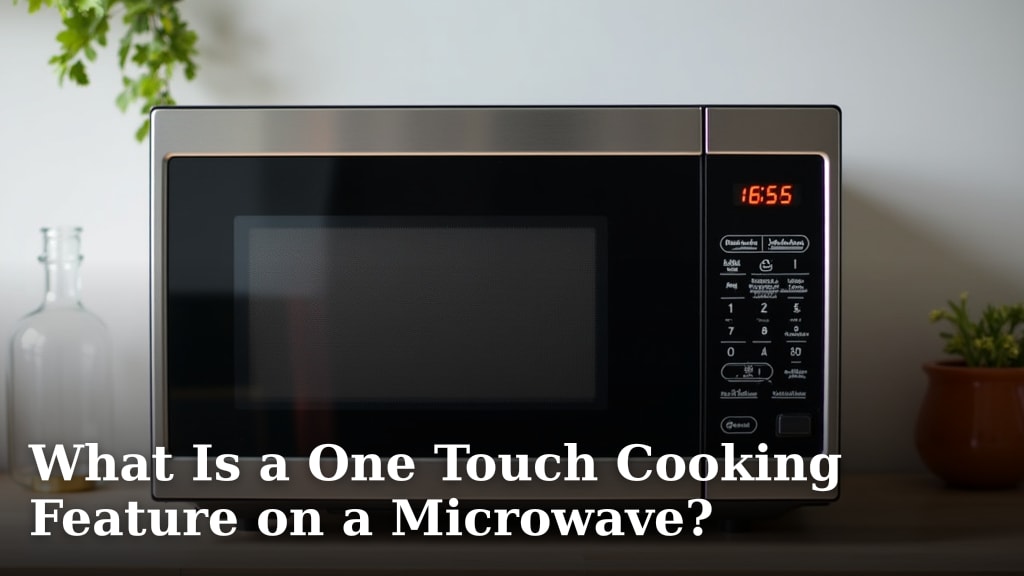
A one touch cooking feature on a microwave is a pre-programmed button that cooks common foods with just one press. You select the food type, like popcorn or a baked potato. The microwave then automatically sets the time and power level. It’s designed for quick, easy meal prep.
Think of these buttons as your microwave’s shortcut keys. They take the guesswork out of cooking. Instead of fiddling with settings, you just push a button. Many microwaves have several options for different foods and drinks.
- One touch cooking uses preset buttons for common foods.
- You press the button for your food, and the microwave does the rest.
- It automatically sets the right time and power level.
- This feature makes heating things like popcorn or potatoes much simpler.
We found that understanding these handy buttons can really speed up your kitchen routine. Let’s dive into how these features work and what foods they’re best for.
Understanding Your Microwave’s One-Touch Cooking Buttons
Ever stare at your microwave and wonder what all those labeled buttons actually do? You’re not alone. Many microwaves come equipped with a convenient feature called “one-touch cooking.” This system is designed to make heating common foods super simple. Instead of guessing the right time and power level, you just push a button. We’ve found that mastering these buttons can seriously speed up your kitchen routine.
Think of these as your microwave’s pre-set shortcuts. They take the guesswork out of cooking, especially for items you heat often. Let’s break down what they are and how you can best use them to your advantage.
How Does One-Touch Cooking Work?
The magic behind one-touch cooking lies in its programmed settings. Each button is linked to a specific food item or category. When you press a button, the microwave automatically activates a pre-determined cooking cycle. This usually includes a specific cooking time and a power level setting. It’s a system built for ease of use and consistent results.
The Automatic Settings
When you press a button like “Popcorn” or “Baked Potato,” the microwave accesses its internal memory. This memory holds data for that specific food. It knows, for example, that a standard bag of microwave popcorn needs about 2 to 3 minutes on high power. Or that a medium-sized baked potato might need 5 to 7 minutes, perhaps with a specific power reduction halfway through.
Power Levels Explained
Many one-touch buttons utilize the microwave’s power level settings. High power (100%) is great for quick heating. But some foods benefit from lower power levels. For instance, a “Defrost” setting will cycle through lower power levels to thaw food gently without cooking the edges. Some one-touch buttons might automatically adjust the power level during the cooking cycle to ensure even heating. We found this to be particularly useful for delicate items.
Benefits of Using These Buttons
The primary benefit is undoubtedly convenience. You can quickly heat or cook common items without referring to a manual or guessing. This saves time, especially during busy meal prep or when you just need a quick snack. It also helps ensure you don’t overcook or undercook your food, leading to more predictable results.
We also found that one-touch buttons can be a great feature for those who are less familiar with microwave cooking. It simplifies the process, making it accessible for everyone. It’s like having a little kitchen assistant built right in.
Common One-Touch Cooking Options
Microwave manufacturers include a variety of one-touch buttons, depending on the model. However, some are quite standard across many brands. Here are some you’re likely to find:
Popcorn
This is perhaps the most popular one-touch button. It’s designed to cook a standard bag of microwave popcorn. The button typically selects high power for a set duration. Some advanced models might even have an option to select the bag size (e.g., 3 oz, 3.5 oz). This helps prevent burning. We found that using this button often yields better results than manual cooking.
Baked Potato
Heating a baked potato from scratch in a conventional oven takes a long time. The “Baked Potato” button on your microwave is a lifesaver for a quick fix. It usually sets a medium-high power level for a specific duration. Some microwaves might even prompt you to enter the number of potatoes. This allows for a more tailored cooking time. Make sure to prick your potato with a fork before cooking to prevent it from exploding.
Beverages
There’s often a button for heating drinks, sometimes labeled “Beverage,” “Mug,” or “Cup.” This is perfect for warming up water for tea, coffee, or hot chocolate. The button typically sets a moderate power level for a short duration. It’s designed to heat a single serving of liquid without making it boil over. This prevents scalding and ensures your drink is just the right temperature.
Reheat
The “Reheat” button is a general-purpose friend. It’s designed to warm up leftovers. When you select “Reheat,” the microwave usually defaults to a medium or medium-high power setting for a standard amount of time. This prevents your food from getting rubbery or overcooked. It’s a good option for things like rice, pasta, or casseroles that have been refrigerated. We found this to be incredibly useful for ensuring leftovers are heated evenly.
Dinner Plate / Meal
Some microwaves have a button like “Dinner Plate” or “Frozen Meal.” This is usually for reheating a portion of food from a plate or a single-serving frozen meal. The setting is often programmed to provide a balanced heating cycle, perhaps starting with medium power and then increasing it. It aims to heat the food thoroughly without drying it out. Many experts suggest using this for pre-packaged meals for optimal results (USDA Food Safety and Inspection Service).
Other Helpful One-Touch Functions
Beyond food items, some microwaves offer one-touch buttons for other common tasks. These are often just as useful for simplifying your kitchen routine.
Defrost
This is a critical function for quickly thawing frozen foods. The “Defrost” button is usually a bit different. It might prompt you to select the type of food (meat, poultry, fish) or enter its weight. Then, it automatically sets a lower power level and cycles the microwave on and off. This gentle thawing prevents the food from starting to cook while still ensuring it thaws safely. Many food safety guidelines recommend thawing meat in the refrigerator or microwave, not at room temperature (CDC).
Add 30 Seconds / Start
Many microwaves have a button that adds 30 seconds to the cooking time with a single press. This is incredibly handy for giving your food a little extra time without having to reset everything. Often, this button also acts as the “Start” button if you’ve already entered a manual cooking time. It’s a simple but very practical addition.
Tips for Using One-Touch Cooking Effectively
While these buttons are designed for simplicity, a few tips can help you get the most out of them. Not all microwaves are created equal, and not all food portions are standard.
Here’s a quick checklist to help you:
- Read Your Manual: Every microwave is slightly different. Your user manual will tell you exactly what each button on your specific model is programmed to do.
- Adjust as Needed: Sometimes the pre-set time might be too long or too short for your specific item or quantity. Don’t be afraid to stop the microwave early or add a little more time.
- Consider Portion Size: A “Baked Potato” button might be perfect for one potato, but you might need to run it twice or adjust the time for two.
- Check Your Food: Always check your food for doneness. Give it a stir or make sure it’s heated through, especially for things like leftovers.
- Clean Your Microwave: A clean microwave heats more efficiently. Ensure the inside is free of food splatters for best results.
When Might You Not Use One-Touch Cooking?
While one-touch buttons are great, they aren’t always the perfect solution. For complex dishes, larger quantities, or foods with very specific cooking requirements, manual control might be better. If you’re trying to achieve a particular texture, like crisping up chicken wings, you’ll likely need to use manual settings and potentially specific cooking accessories.
Also, if your microwave is older, the accuracy of its one-touch settings might have degraded over time. In such cases, using your own judgment with manual time and power settings will likely give you better control. We found that for delicate items or when precision is key, manual control offers the ultimate say.
A Quick Look at Popular One-Touch Buttons
To give you a clearer picture, here’s a simplified table of common buttons and their general purpose:
| Button Label | Common Purpose | Typical Power Level | Best For |
|---|---|---|---|
| Popcorn | Cooking microwave popcorn bags | High (100%) | Standard popcorn bags |
| Baked Potato | Heating a whole potato | Medium-High (70-90%) | Whole, pricked potatoes |
| Beverage/Mug | Warming drinks like water or milk | Medium (50-70%) | Single servings of liquids |
| Reheat | Warming up leftovers | Medium-High (70-90%) | Plates of food, casseroles |
| Defrost | Thawing frozen items | Low (30-50%) | Meats, poultry, fish |
Conclusion
You’ve learned that one-touch cooking features are your microwave’s way of offering pre-programmed shortcuts. These buttons simplify heating common items like popcorn, potatoes, and beverages. They take the guesswork out of time and power settings, giving you consistent results with a single press. While they offer great convenience, remember to check your food and consult your manual for the best outcomes. Now that you understand these handy features, try using them to speed up your kitchen routine the next time you need a quick meal or snack.
Frequently Asked Questions
Can I use one-touch cooking for items not listed on my microwave?
Generally, it’s best to stick to the listed items. One-touch buttons are programmed for specific foods. Using them for something else might lead to undercooked or overcooked results. If you’re unsure, manual settings offer more control.
Will one-touch cooking always work perfectly for standard food items?
One-touch buttons provide a good starting point for common foods. However, portion sizes and food variations can affect cooking times. We recommend checking your food halfway through and adjusting the time if needed for perfect results.
How do I know which foods my microwave’s one-touch buttons are for?
Your microwave’s user manual is the best resource. It will detail exactly what each button is programmed to do. Often, the buttons themselves are labeled clearly, like “Popcorn” or “Baked Potato.”
Is it better to use one-touch cooking or manual settings?
For simple, common items you heat often, one-touch buttons are very convenient. For more complex dishes, larger quantities, or when you need precise control over texture and doneness, manual settings are usually better. It depends on what you’re cooking and the results you want.
My microwave is old, will the one-touch buttons still work well?
Older microwaves might have less precise programmed settings. The accuracy could have degraded over time. If you find your one-touch buttons aren’t giving you the results they used to, it might be time to use manual controls or consider a newer model.