What Is Sensor Cooking on a Microwave? How It Works
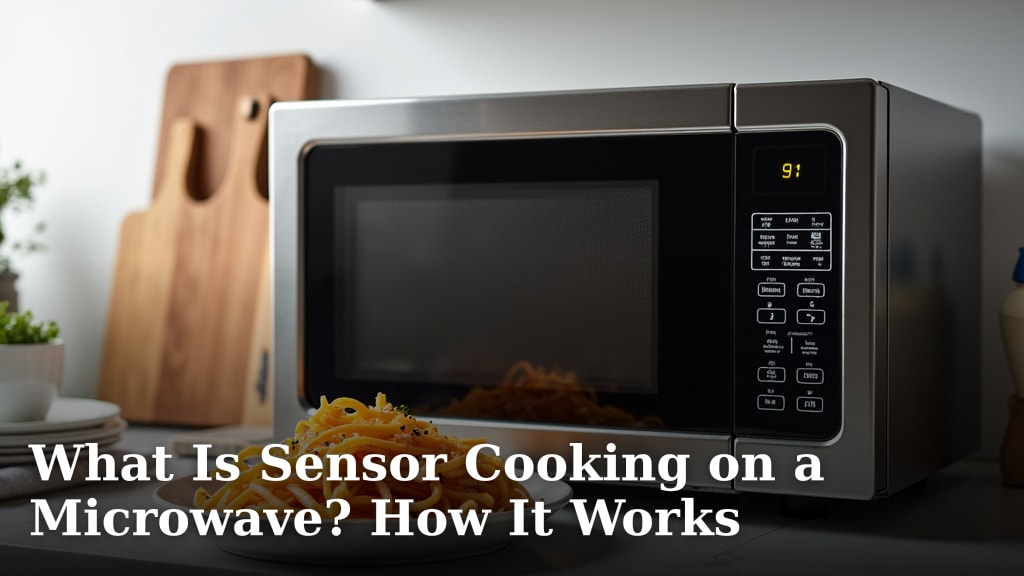
Sensor cooking on a microwave is a smart feature that uses built-in sensors to automatically detect the moisture and humidity in your food as it cooks. Instead of guessing cook times, the microwave adjusts the power and time itself for better results.
Think of it as your microwave’s autopilot. This technology differentiates sensor cooking from simply using a timer or a preset button. It helps prevent overcooked edges or frozen centers, taking the guesswork out of reheating leftovers or cooking fresh vegetables.
- Sensor cooking uses humidity and steam detection to gauge doneness.
- The microwave monitors the food and cycles power automatically for even cooking.
- It’s great for reheating uneven dishes and cooking items like potatoes or veggies.
- Effectiveness can vary, and manual settings are sometimes still preferred.
Below, we break down exactly how this helpful technology works step by step, so you can decide if it’s a feature worth using in your kitchen.
Understanding How Your Microwave Uses Sensors
Sensor cooking is a technology that lets your microwave monitor food as it cooks. It uses real-time feedback to make adjustments. This is different from a standard timer that just runs for a set period, regardless of what’s happening inside.
At its core, this feature relies on a small, **built-in sensor**. This sensor is typically a humidity or steam detector. It constantly samples the air inside the microwave cavity during the cooking cycle.
The Step-by-Step Process Inside the Microwave
When you press the sensor cook button for your dish, a sequence begins. Let’s walk through what happens from the moment you start it.
First, you place your food inside and select the appropriate sensor program. This might be labeled “Reheat,” “Potato,” “Beverage,” or “Vegetable.” The microwave starts cooking at full or high power.
As the food heats, it releases steam and moisture into the air. The sensor detects this increase in humidity. The amount of steam tells the microwave’s **internal computer** how much moisture is escaping from the food.
Interpreting the Humidity Signal
The microwave is programmed with a “humidity curve” for different foods. It knows how much steam a potato should release versus a cup of soup. When the sensor detects that the humidity level matches the target for that food, it knows the dish is likely heated through.
At this point, the cooking doesn’t just stop abruptly. Instead, the microwave **automatically reduces the power level**. It might cycle between low power and off. This prevents the edges from burning while the center finishes cooking evenly. This intelligent power cycling is what makes sensor cooking more advanced than a simple preset timer.
Sensor Cooking vs. Traditional Presets: Key Differences
Many microwaves have preset buttons for popcorn, pizza, or beverages. It’s easy to confuse these with sensor programs. However, a standard preset is often just a fixed time and power level. It doesn’t adjust based on your specific food.
Sensor cooking is adaptive. If you have a particularly large portion of leftovers, a standard 2-minute reheat might leave the center cold. A sensor program will detect that the steam signal is taking longer to reach the target and extend the cook time automatically. Conversely, a small portion will heat faster, and the sensor will reduce power or stop sooner.
Think of it like the difference between a simple kitchen timer and a skilled cook who watches the pot and adjusts the flame. The sensor adds that layer of observation.
When Does Sensor Cooking Work Best? (And When It Doesn’t)
This technology shines in specific scenarios. It’s excellent for foods with **high water content**. The sensor needs moisture to work. It is also ideal for tasks where guesswork often leads to overcooking.
- Reheating leftovers: Particularly for dishes with uneven density, like a plate with rice and vegetables.
- Cooking fresh vegetables: Steaming broccoli or cooking a baked potato without drying it out.
- Heating beverages: It prevents superheating and boiling over by stopping at the right moment.
- Simple frozen foods: Items like frozen vegetables or pre-cooked rice pouches.
However, sensor cooking has limitations. It is less effective for **dry foods** with little moisture, like a slice of pizza or a bagel. The sensor won’t detect enough steam. It can also struggle with very large or very dense items that heat unevenly regardless. For some tasks, like popping corn, a dedicated popcorn button (which uses sound detection) might be more precise.
Foods That May Not Benefit From Sensor Mode
The sensor’s reliance on steam means it can misinterpret the signal from certain foods. For example, heating a small pat of butter might not produce enough steam to trigger the sensor properly. The microwave might overcook it. Similarly, baking a cake from scratch in a microwave usually requires manual settings for precise temperature control.
Our research suggests that manual control is often preferred by experienced cooks for items needing a specific texture or browning. A sensor is great for heating through, but it doesn’t create a crispy crust.
The Science Behind the Steam: How Humidity Detection Functions
The sensor at work is often called a **humidity sensor** or **steam sensor**. It is typically a resistive or capacitive component. As water molecules from steam land on the sensor, they change its electrical properties. The microwave’s circuitry measures this change.
This measurement isn’t about how hot the air is. It’s about how much water vapor is present. The science is based on the principle that as food heats and its internal temperature rises, water turns to steam and is released. The rate of this release correlates with the food’s doneness and temperature.
Many manufacturers calibrate these sensors in their labs. They test with thousands of portions of common foods to create the programming algorithms. This is why selecting the correct food category on the microwave is important. You’re giving the computer its initial guideline.
Limitations of the Sensor System
No technology is perfect. The sensor can be fooled by very humid kitchen environments. Cooking multiple items at once, especially with different moisture levels, can give confusing signals. A covered dish versus an uncovered one will also produce vastly different steam readings.
According to user manuals and expert reviews, the sensor works best when the microwave cavity is clean. A film of grease or old food can affect humidity circulation and sensor accuracy. Keeping it clean is a simple way to ensure it functions as designed.
A Practical Guide: Making the Most of Your Sensor Feature
Using the sensor effectively is mostly about setting it up for success. You don’t need to be a tech expert. Just follow a few simple best practices that align with how the sensor “sees” your food.
Start with the right container. Use a **microwave-safe cover** with a vent. This traps steam while allowing the sensor to sample it. An uncovered dish might let steam escape too quickly, leading to uneven results. The cover helps create the consistent environment the sensor expects.
Next, arrange food properly. If reheating a portion of dinner, spread it out evenly on the plate. A dense mound in the center will heat differently than a thin, even layer. The sensor will have a harder time gauging the entire portion.
Checklist for Using Sensor Cooking Successfully
Before you hit start, run through this quick mental checklist. It only takes a moment and can save you from a disappointing result.
- Did you choose the closest matching preset? Pick “Reheat” for leftovers, not “Popcorn.”
- Is your food evenly distributed? Avoid huge, cold centers in dense foods.
- Are you using a vented cover? This contains steam for the sensor to read accurately.
- Is the microwave interior clean? Wipe up spills to ensure proper steam circulation.
- Are you cooking a moist dish? Remember, very dry foods won’t activate the sensor properly.
If you follow these steps, you’re setting the sensor up for a successful cooking cycle. It’s a simple partnership between you and your appliance.
Is Sensor Cooking a Feature Worth Having?
This technology is not a mere gimmick. For everyday convenience, especially for busy households, it solves a common problem. It reduces food waste from overcooking and saves you from standing by the microwave poking at your meal.
For many people, the benefit is stress-free reheating. You can put your leftovers in, press the button, and walk away knowing the microwave will handle the timing. This “set it and forget it” aspect is its primary value. It makes the microwave a more intelligent and reliable kitchen tool.
However, it does not replace learning basic microwave principles. Understanding that your microwave heats faster on the edges, or that stirring halfway helps, remains useful. Sensor cooking is a helpful assistant, not a complete replacement for common sense.
Balancing Automation and Manual Control
We found that the best approach for many home cooks is a hybrid one. Use sensor cooking for its intended strengths: moist foods, reheating, and simple tasks. For specialized cooking or when you need precise control, switch to manual power and time settings.
Ultimately, a microwave with a good sensor cooking feature offers you more flexibility. You have an automated option for convenience and a manual option for control. This combination allows you to tackle a wider range of tasks with confidence, whether you’re a beginner or a seasoned pro in the kitchen.
Conclusion
Sensor cooking takes the guesswork out of your microwave. It uses humidity to automatically adjust time and power for evenly heated food. This smart feature is most helpful for reheating leftovers, steaming vegetables, and heating beverages. You’ve learned it works best on moist foods, while dry items often need manual settings. Remember to use a vented cover and spread food evenly for the best results. Your microwave has a useful tool waiting for you to try. Start with a simple dish like a baked potato or a bowl of soup and press that sensor button.
Frequently Asked Questions
Does every microwave have a sensor cooking feature?
No, sensor cooking is not on all models. It is more common on mid-range and higher-end microwaves. Check your microwave’s control panel for buttons labeled “Sensor Cook,” “Reheat,” or with food icons like a potato. Your user manual will definitively list all available features for your specific model.
Can I use sensor cooking for frozen meals?
It works well for many simple frozen items like vegetables or pre-cooked rice pouches. The sensor detects the steam as the ice melts and the food heats. However, for dense frozen dinners with multiple components, the sensor may struggle. You might get better results by using the manual defrost setting first, then sensor reheat.
Why does my sensor cooking sometimes stop too early?
This can happen if the dish has low moisture content or is very small. The sensor relies on a steady release of steam to gauge doneness. If little steam is produced, the microwave’s program may reach its conclusion before the food is fully heated. For these cases, using a manual time setting is more reliable.
Is sensor cooking the same as the auto-defrost setting?
No, they are different functions. Sensor cooking monitors humidity to heat cooked or fresh food through. Auto-defrost uses time and power cycles to thaw frozen food safely without starting to cook it. Defrosting with a sensor cook setting is not recommended, as it can partially cook the edges of the food.
How do I clean my microwave’s sensor?
You don’t clean the sensor itself, but you keep its environment clean. The sensor is inside the microwave cavity. Regularly wipe down the interior walls, ceiling, and turntable to remove food splatters and grease. A clean cavity allows steam to circulate properly and reach the sensor accurately for the best performance.